Chapter 3: The World Model – How a Robot Thinks About Space
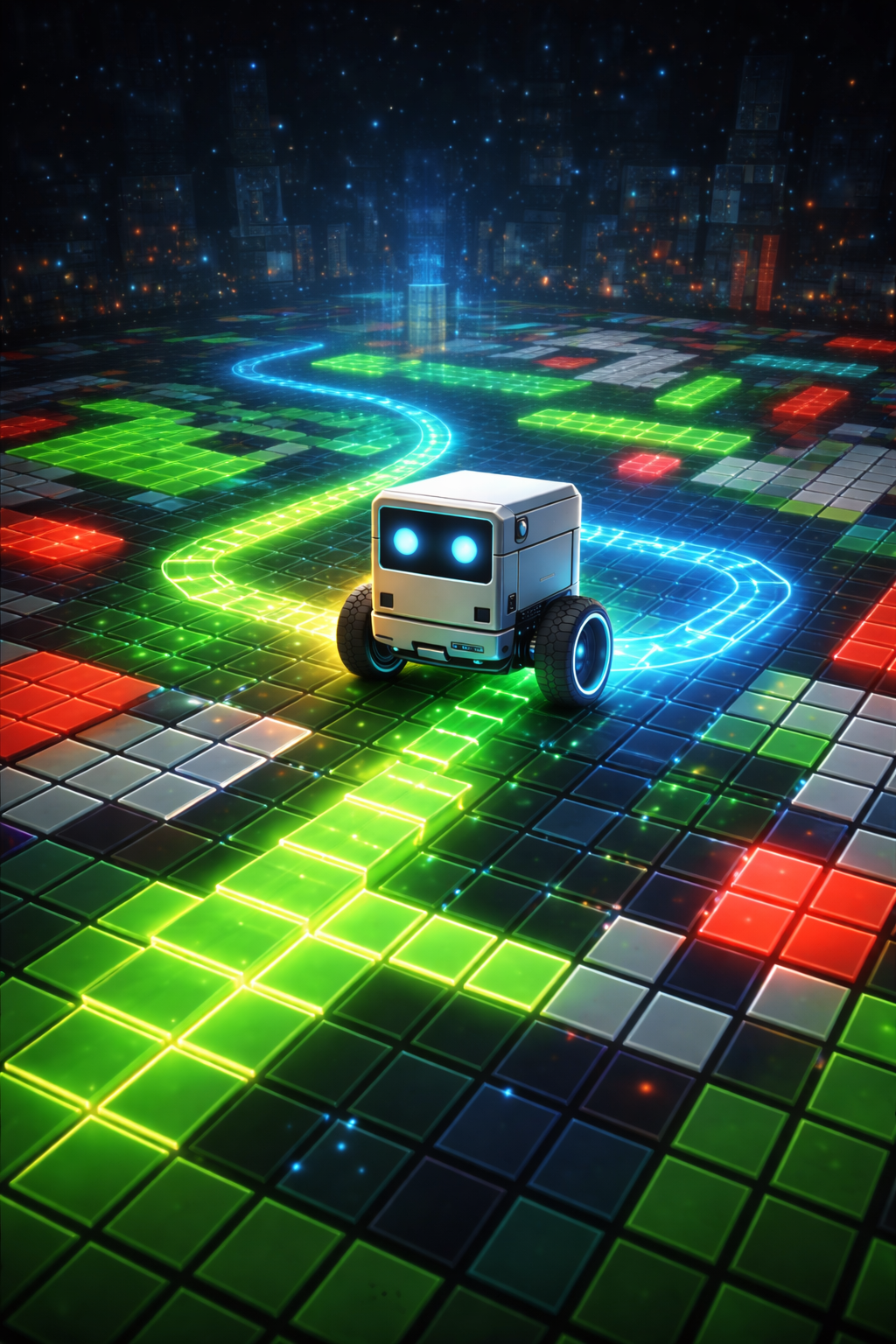
Close your eyes and picture the room you are sitting in. You know where the door is, where the furniture sits, which paths are clear and which are blocked. You did not always know this. Once, every room you entered was a blank slate, and you built your spatial understanding through a combination of looking, walking, and remembering. A robot must do exactly the same thing – except it has no innate spatial intuition, no childhood of bumping into coffee tables. It must construct its understanding of space from scratch, cell by cell, sensor reading by sensor reading. In LLMos, the data structure that holds this understanding is called the World Model.
The Occupancy Grid Concept
The World Model is a 50x50 occupancy grid. Each cell represents a 10cm square of physical space, giving the robot a 5 meter by 5 meter operational arena. When the robot first boots up, every single cell is marked unknown. The robot knows nothing. It is blind.
As the robot moves and its sensors sweep the environment, cells transition from unknown to free, obstacle, explored, and other states. This is the fundamental act of spatial cognition: converting sensor noise into a persistent, queryable map of the world.
Why a grid and not a continuous representation? Grids are simple, fast, and – critically – easy to serialize into text that an LLM can reason about. An occupancy grid is the lingua franca between classical robotics and language model reasoning.
The implementation lives in lib/runtime/world-model.ts.
Cell States
Each cell in the grid carries a state, a confidence score, a visit count, and a timestamp. Here is the complete type definition from the codebase:
// lib/runtime/world-model.ts

export interface GridCell {
  x: number;
  y: number;
  state: CellState;
  confidence: number;        // 0.0 to 1.0 - how confident we are about this cell
  lastUpdated: number;       // Timestamp of last update
  visitCount: number;        // How many times the robot has been here
  distanceReading?: number;  // Last distance sensor reading at this cell
}

export type CellState =
  | 'unknown'      // Not yet observed
  | 'free'         // Safe to traverse
  | 'obstacle'     // Contains an obstacle
  | 'wall'         // Wall boundary
  | 'explored'     // Visited by robot
  | 'path'         // Part of a planned/traveled path
  | 'collectible'  // Contains a collectible item
  | 'collected';   // Collectible was here but collected
The confidence score is central to the system’s epistemic honesty. A cell marked obstacle with confidence 0.3 is very different from one marked obstacle with confidence 0.95. The LLM can query this confidence when making navigation decisions, and the system uses it to decide whether an LLM-suggested correction should override sensor data.
Visit count tracks how many times the robot has physically occupied a cell. This feeds into exploration heuristics – cells visited many times are less interesting than unvisited ones.
The Coordinate System
The grid uses a centered coordinate system. The origin of the grid is at offset (25, 25), meaning world coordinate (0, 0) maps to grid cell (25, 25). World coordinates are in meters; grid coordinates are integer cell indices.
Two conversion functions handle the translation:
// lib/runtime/world-model.ts

worldToGrid(worldX: number, worldY: number): { gx: number; gy: number } {
  const gx = Math.floor((worldX * 100) / this.config.gridResolution) + this.offsetX;
  const gy = Math.floor((worldY * 100) / this.config.gridResolution) + this.offsetY;
  return { gx, gy };
}

gridToWorld(gx: number, gy: number): { x: number; y: number } {
  const x = ((gx - this.offsetX) * this.config.gridResolution) / 100;
  const y = ((gy - this.offsetY) * this.config.gridResolution) / 100;
  return { x, y };
}
The math is straightforward: multiply meters by 100 to get centimeters, divide by grid resolution (10cm default) to get cell index, and add the offset to center it. The reverse operation subtracts the offset and converts back.
One subtlety that trips up newcomers: rotation=0 faces -Y (north in screen coordinates, toward the top of the grid), and rotation=PI/2 faces +X (east). This follows the standard robotics convention where heading increases clockwise from the negative Y axis, but it means Math.sin(angle) gives the X component and -Math.cos(angle) gives the Y component in ray calculations.
Sensor Updates
The primary way the World Model learns about the environment is through distance sensor readings. The updateFromSensors() method takes the robot’s current pose and six distance readings (front, front-left, front-right, left, right, back) and performs raycasting to update the grid:
// lib/runtime/world-model.ts

updateFromSensors(
  pose: { x: number; y: number; rotation: number },
  distance: { front: number; frontLeft: number; frontRight: number;
              left: number; right: number; back: number },
  timestamp: number = Date.now()
): void {
  // Record robot position
  this.robotPath.push({ x: pose.x, y: pose.y, rotation: pose.rotation, timestamp });

  // Mark current position as explored
  const { gx, gy } = this.worldToGrid(pose.x, pose.y);
  if (this.isValidGridCoord(gx, gy)) {
    this.updateCell(gx, gy, 'explored', 1.0, timestamp);
    this.grid[gy][gx].visitCount++;
  }

  // Update cells based on distance sensor readings
  this.updateFromDistanceSensor(pose, distance.front, 0, timestamp);
  this.updateFromDistanceSensor(pose, distance.frontLeft, Math.PI / 6, timestamp);
  this.updateFromDistanceSensor(pose, distance.frontRight, -Math.PI / 6, timestamp);
  this.updateFromDistanceSensor(pose, distance.left, Math.PI / 2, timestamp);
  this.updateFromDistanceSensor(pose, distance.right, -Math.PI / 2, timestamp);
  this.updateFromDistanceSensor(pose, distance.back, Math.PI, timestamp);
}
Each sensor ray works the same way: step along the ray direction in grid-cell-sized increments. Every cell the ray passes through is marked free (the sensor can see through it). The cell at the endpoint, if the distance reading indicates something close (under 2 meters), is marked obstacle. Confidence decreases with distance from the sensor – a reading at 30cm is more reliable than one at 180cm.
The key insight is that a single distance reading encodes two kinds of information: the obstacle at the endpoint, and the free space along the entire ray path.
Vision Updates
Camera-based updates complement distance sensors with richer spatial data. Two methods handle this:
// lib/runtime/world-model.ts

updateCellFromVision(
  worldX: number, worldY: number,
  state: CellState, confidence: number
): void {
  const { gx, gy } = this.worldToGrid(worldX, worldY);
  if (this.isValidGridCoord(gx, gy)) {
    this.updateCell(gx, gy, state, confidence, Date.now());
  }
}

updateRayFromVision(
  startX: number, startY: number,
  angle: number, distance: number,
  freeConfidence: number,
  obstacleState: CellState | null,
  obstacleConfidence: number
): void {
  const stepSize = this.config.gridResolution / 100;
  for (let d = stepSize; d < distance; d += stepSize) {
    const wx = startX + Math.sin(angle) * d;
    const wy = startY - Math.cos(angle) * d;
    const { gx, gy } = this.worldToGrid(wx, wy);
    if (this.isValidGridCoord(gx, gy)) {
      const cell = this.grid[gy][gx];
      if (cell.state === 'unknown' || cell.confidence < freeConfidence) {
        this.updateCell(gx, gy, 'free', freeConfidence * (1 - d / distance), Date.now());
      }
    }
  }
  // Mark endpoint as obstacle if specified
  if (obstacleState !== null) {
    const wx = startX + Math.sin(angle) * distance;
    const wy = startY - Math.cos(angle) * distance;
    const { gx, gy } = this.worldToGrid(wx, wy);
    if (this.isValidGridCoord(gx, gy)) {
      this.updateCell(gx, gy, obstacleState, obstacleConfidence, Date.now());
    }
  }
}
The vision pipeline (covered in Chapter 6) converts camera frames into these ray-based updates, allowing the robot to integrate visual information into the same occupancy grid that distance sensors populate.
Serialization for LLM Consumption
A 50x50 grid has 2,500 cells. Dumping all of them into an LLM prompt every cycle would be wasteful – most cells have not changed since the last cycle, and many are still unknown. The serializer (lib/runtime/world-model-serializer.ts) provides three compact formats.
Format A: RLE JSON
The primary format for structured LLM reasoning. Run-length encoding compresses the flat grid into a compact string:
// lib/runtime/world-model-serializer.ts

export function rleEncode(states: SerializedCellState[]): string {
  if (states.length === 0) return '';

  const runs: string[] = [];
  let current = states[0];
  let count = 1;

  for (let i = 1; i < states.length; i++) {
    if (states[i] === current) {
      count++;
    } else {
      runs.push(`${current}:${count}`);
      current = states[i];
      count = 1;
    }
  }
  runs.push(`${current}:${count}`);

  return runs.join(',');
}
Cell states are mapped to single characters for compression: U (unknown), F (free), O (obstacle), W (wall), E (explored), P (path), C (collectible), X (collected). A typical early-exploration grid might serialize to something like "U:1200,F:50,E:10,F:40,O:5,U:1195" – far more compact than 2,500 individual cell descriptions.
The full RLE JSON frame includes robot pose, goal position, grid dimensions, and exploration progress:
// lib/runtime/world-model-serializer.ts

export interface GridSerializationJSON {
  frame: 'world';
  size_m: [number, number];
  resolution_m: number;
  origin_m: [number, number];
  grid_size: [number, number];
  occupancy_rle: string;         // "U:1200,F:1000,O:300"
  exploration: number;            // 0-1
  robot: { pose_m: [number, number]; yaw_deg: number };
  goal?: { pose_m: [number, number]; tolerance_m: number };
}
Format C: ASCII Grid
A 25x25 downsampled text grid, useful for debugging and lightweight contexts. The downsampling uses a max-priority rule: each 2x2 block of cells becomes one cell with the highest-priority state. Obstacles and walls win over free space, because it is more dangerous to miss an obstacle than to miss a free cell.
?????????????????????????
?????????????????????????
????????...##............
????????.>..#............
????????....#.....G......
????????...............??
?????????????????????????
The legend: # obstacle, = wall, . free, ? unknown, G goal, ^v<> robot heading, * collectible.
Patch Format
After the first cycle sends a full RLE frame, subsequent cycles send only the cells that changed. This dramatically reduces token usage:
// lib/runtime/world-model-serializer.ts

export interface GridPatchUpdate {
  frame: 'world_patch';
  cycle: number;
  changes: Array<[number, number, SerializedCellState]>;  // [gridX, gridY, newState]
  robot: { pose_m: [number, number]; yaw_deg: number };
  exploration: number;
  num_changes: number;
}
The serializer’s serialize() method automatically decides whether to send a full frame or a patch. If more than 30% of cells changed (rare, but possible after a big rotation scan), it falls back to a full frame since the patch would be larger than the compressed full grid.
The Singleton Pattern
In a multi-robot system, each device needs its own world model. LLMos uses a singleton-per-device pattern:
// lib/runtime/world-model.ts

const worldModels = new Map<string, WorldModel>();

export function getWorldModel(
  deviceId: string,
  config?: Partial<WorldModelConfig>
): WorldModel {
  if (!worldModels.has(deviceId)) {
    worldModels.set(deviceId, new WorldModel(config));
  }
  return worldModels.get(deviceId)!;
}

export function clearAllWorldModels(): void {
  worldModels.clear();
}
Call getWorldModel('robot-1') from anywhere in the system and you get the same instance. This is essential for the navigation loop, the candidate generator, the local planner, and the UI bridge to all operate on the same spatial data.
The clearAllWorldModels() function is critical for tests – without it, singleton state leaks between test cases and produces mysterious failures. Every test suite that touches world models must call it in afterEach.
ASCII Visualization
The generateASCIIMap() method produces a box-drawing map that the robot uses for its own “cognitive analysis” and that developers use for debugging:
┌───────────────────────┐
│ WORLD MODEL (Robot View) │
├───────────────────────┤
│ ···········░░░░░░░░░░ │
│ ···....*...░░░░░░░░░░ │
│ ···.▲..█...░░░░░░░░░░ │
│ ···....█...░░░░░░░░░░ │
│ ···........░░░░░░░░░░ │
├───────────────────────┤
│ Legend:                   │
│ · unknown  ░ boundary     │
│ . free     █ obstacle     │
│ * explored ◆ collectible  │
│ ▲▶▼◀ robot direction      │
└───────────────────────┘
The map is centered on the robot’s current position with a configurable view size (default 21 cells). The direction character (▲▶▼◀) shows which way the robot is facing, providing an immediate visual anchor.
Confidence Decay
The world is not static. Objects move, doors open and close. The World Model handles this through confidence decay:
// lib/runtime/world-model.ts

decayConfidence(): void {
  for (let y = 0; y < this.gridHeight; y++) {
    for (let x = 0; x < this.gridWidth; x++) {
      if (this.grid[y][x].state !== 'unknown') {
        this.grid[y][x].confidence *= this.config.confidenceDecay;
      }
    }
  }
}
With a default decay rate of 0.995, a cell’s confidence drops to ~60% of its original value after 100 cycles. This gently encourages the robot to re-verify areas it has not visited recently, creating an implicit exploration pressure.
Configuration
The World Model is configured through a partial-merge pattern used throughout LLMos:
// lib/runtime/world-model.ts

export interface WorldModelConfig {
  gridResolution: number;    // Cell size in cm (default: 10cm)
  worldWidth: number;        // World width in cm (default: 500 = 5m)
  worldHeight: number;       // World height in cm (default: 500 = 5m)
  confidenceDecay: number;   // How quickly confidence decays (default: 0.995)
  explorationBonus: number;  // Bonus for exploring new areas (default: 0.1)
}
Pass only the fields you want to override. The constructor fills in defaults for everything else. This pattern appears in almost every configurable component in the system.
Chapter Summary
The World Model is the robot’s spatial memory. It starts empty and fills in through sensor raycasting and vision updates, cell by cell, building a persistent map of what is free, what is blocked, and what is still unknown. The serializer compresses this map into formats the LLM can digest – RLE for structured reasoning, ASCII for debugging, patches for efficiency. The singleton pattern ensures all system components share the same spatial truth.
In the next chapter, we will see how the Navigation Loop takes this spatial understanding and turns it into action – assembling the world model, candidate subgoals, and camera frames into a single prompt that asks the LLM one question: “Where should I go next?”
Previous: Chapter 2 – Two Brains: Development and Runtime Next: Chapter 4 – The Navigation Loop: 13 Steps from Sensor to Motor